Best Wireless Gaming Headsets in Canada
An independent Canadian buying guide to wireless gaming headsets — quick picks, a comparison table, 2.4GHz vs Bluetooth, wireless vs wired, platform compatibility, microphones, battery life, comfort, spatial audio, ANC, how much to spend, mistakes to avoid, and an FAQ.
Affiliate disclosure: Borealis is reader-supported. We may earn a commission from qualifying purchases made through certain links — at no extra cost to you. We do not currently use Best Buy affiliate links, and we are not affiliated with Best Buy or any retailer. Read the full disclosure.
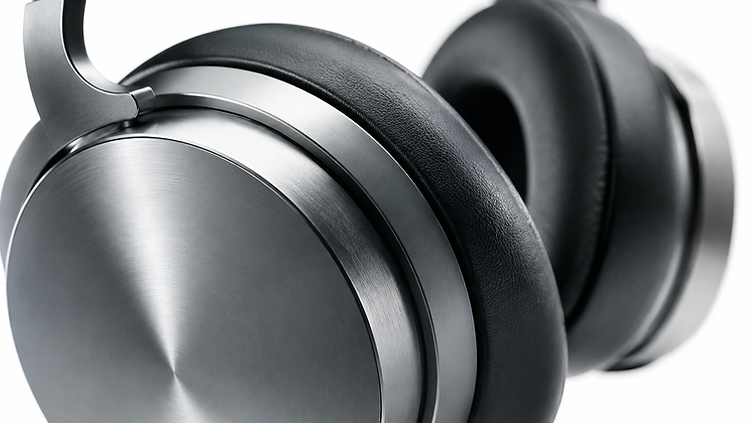
Wireless gaming headsets have closed most of the gap with wired ones. A 2.4GHz headset uses its own USB receiver rather than Bluetooth, most models in this guide run for 40 hours or more between charges, and wireless is the only practical option if you sit across the room from a console.
This guide compares nine wireless gaming headsets sold in Canada, from a ~$70 budget pick to a ~$500 flagship, and focuses on the things that actually decide whether you'll like one: connection type, microphone design, battery setup, comfort, and platform compatibility.
A note on accuracy. Prices are approximate October 2026 snapshots taken from Canadian retailer listings, and several of these models are discounted often — so check the live listing. We haven't personally tested these headsets; our picks are based on published manufacturer specifications, not hands-on reviews. Battery figures are manufacturer claims.
Quick Picks
- Best budget wireless gaming headset — Turtle Beach Stealth 500 (~$70–$90): 2.4GHz plus Bluetooth 5.2, up to 40 hours, a flip-to-mute mic, and a light floating headband. For shoppers who want wireless freedom without the price.
- Best value wireless headset — SteelSeries Arctis Nova 5 Wireless (~$160–$200): Dual wireless, a 60-hour battery with fast charge, a fully retractable mic, and a compact USB-C dongle that works across PC, PlayStation, Switch and handhelds.
- Best wireless headset for PC — Logitech G522 LIGHTSPEED (~$180–$230): LIGHTSPEED 2.4GHz and Bluetooth, up to 60 hours, a detachable 48 kHz mic with Blue VO!CE, and LIGHTSYNC RGB in a PC-first design.
- Best wireless headset for PS5 — SteelSeries Arctis Nova 7P (Gen 2) (~$250): The PlayStation-tuned version of the Nova 7 Gen 2, with simultaneous Bluetooth, 50+ hours of battery, and a retractable mic.
- Best multiplatform wireless headset — Logitech G PRO X 2 LIGHTSPEED (~$290–$320): Three connections in one headset (LIGHTSPEED, Bluetooth, 3.5 mm), 50 mm graphene drivers, 50 hours, and a detachable cardioid mic.
- Best lightweight wireless option — Razer BlackShark V2 HyperSpeed (~$110–$190): At 280 g it's the lightest headset here, with 2.4GHz plus Bluetooth 5.2, a 70-hour battery, and a bendable super-wideband mic.
- Best for voice and PC audio depth — Corsair HS80 MAX Wireless (~$225–$280): Up to 65 hours with RGB off, Bluetooth, and a broadcast-grade omnidirectional mic with Dolby Atmos on PC.
- Best premium wireless headset — SteelSeries Arctis Nova Pro Wireless (~$300–$500): Active noise cancellation, a base station with an OLED display, and two hot-swappable batteries rated up to 22 hours each.
- Best for gaming plus phone or laptop — Razer Barracuda X Plus (~$95–$145): A 250 g design with 2.4GHz and Bluetooth, a detachable mic, and a USB-C dongle that suits laptops and handhelds.
No single wireless gaming headset is the best for everyone — the right one depends on your platform, your budget, and how long you play.
Quick Comparison Table
All nine are wireless. "Compatibility" describes the version most widely stocked in Canada — Xbox needs an Xbox-licensed model, which is noted in the product sections and the compatibility section below.
| Headset | Approx. Canadian price | Wireless connection | Bluetooth | Battery life | Microphone | Compatibility | Best for |
|---|---|---|---|---|---|---|---|
| Turtle Beach Stealth 500 | $70–$90 | 2.4GHz (USB dongle) | Yes (5.2) | Up to 40 hrs (quick charge) | Omni-directional, flip-to-mute | PC, PS4, PS5, Switch (version-specific); Xbox version sold separately | Best budget wireless gaming headset |
| Razer Barracuda X Plus | $95–$145 | 2.4GHz HyperSpeed (USB-C dongle) | Yes | Varies by Barracuda X model — check the listing | Detachable cardioid | PC, laptop, handhelds; phone/tablet via dongle or Bluetooth | Best for gaming plus phone or laptop |
| Razer BlackShark V2 HyperSpeed | $110–$190 | 2.4GHz HyperSpeed (USB dongle) or wired USB | Yes (5.2) | Up to 70 hrs | Bendable super-wideband | PC, Mac, PS5, PS4, Switch, Steam Deck, mobile | Best lightweight wireless option |
| SteelSeries Arctis Nova 5 | $160–$200 | 2.4GHz (USB-C dongle) | Yes (5.3) | Up to 60 hrs (6 hrs from 15 min) | Fully retractable ClearCast 2.X | PC, PS5, PS4, Switch, Meta Quest, tablets, phones | Best value wireless headset |
| Corsair HS80 MAX | $225–$280 | 2.4GHz Slipstream (USB receiver) | Yes | Up to 65 hrs (no RGB); ~24 hrs with RGB | Omnidirectional, broadcast-grade | PC, PS4, PS5, Switch | Best for voice and PC audio depth |
| Logitech G522 LIGHTSPEED | $180–$230 | 2.4GHz LIGHTSPEED (USB receiver) | Yes | Up to 60 hrs | Detachable, 48 kHz with Blue VO!CE | PC (Windows), PS4, PS5 per Canadian listings | Best wireless headset for PC |
| SteelSeries Arctis Nova 7 / 7P (Gen 2) | ~$250 | 2.4GHz (USB-C dongle) | Yes — simultaneous with 2.4GHz | 50+ hrs | Retractable boom | PC, PS5, PS4, Switch (7P for PlayStation, 7X for Xbox) | Best wireless headset for PS5 |
| Logitech G PRO X 2 LIGHTSPEED | $290–$320 | 2.4GHz LIGHTSPEED, Bluetooth, or 3.5 mm wired | Yes | Up to 50 hrs | Detachable cardioid with Blue VO!CE | PC, PS5, PS4, Switch; Xbox version sold separately | Best multiplatform wireless headset |
| SteelSeries Arctis Nova Pro Wireless | $300–$500 | 2.4GHz via base station | Yes — simultaneous with 2.4GHz | Two hot-swap batteries, up to 22 hrs each | Retractable ClearCast Gen 2 | PC, PS5, PS4, Switch; Xbox and Nova Pro Omni variants sold separately | Best premium wireless headset |
Battery figures are manufacturer claims, and brands don't measure them the same way: some quote hours at default settings with lighting off, others at lower volume or over Bluetooth. Treat them as a rough comparison, not a like-for-like measurement.
Affiliate links aren't active yet. We'll add them once our program is approved. For now, search the product name at your preferred Canadian retailer to check the current price and availability.
Pros and Cons at a Glance
Prices are approximate, in CAD, and can change. The points below are based on documented specifications and manufacturer-stated figures, not hands-on testing.
Turtle Beach Stealth 500 (~$70–$90) — Best Budget Wireless Gaming Headset
- Pros: the cheapest wireless option here; 2.4GHz plus Bluetooth 5.2; flip-to-mute mic; manufacturer-stated battery life up to 40 hours.
- Cons: compatibility is version-specific (the Xbox model is sold separately); the omni-directional mic is basic next to the pricier picks; feature set varies by platform version.
Razer Barracuda X Plus (~$95–$145) — Best for Gaming Plus Phone or Laptop
- Pros: detachable cardioid mic; USB-C dongle plus Bluetooth, so it suits handhelds, laptops, and phones; travel-friendly design.
- Cons: battery figures vary by Barracuda X model, so check the exact listing; fewer PC tuning features than the premium options; price swings with sales.
Razer BlackShark V2 HyperSpeed (~$110–$190) — Best Lightweight Wireless Option
- Pros: lightweight build for long sessions; bendable super-wideband mic; manufacturer-stated battery life up to 70 hours; 2.4GHz, Bluetooth 5.2, or wired USB.
- Cons: the price varies widely depending on the sale; PC-only tuning features don't carry over to consoles; fewer premium materials than the top-tier models.
SteelSeries Arctis Nova 5 (~$160–$200) — Best Value Wireless Headset
- Pros: fully retractable ClearCast mic; 2.4GHz plus Bluetooth 5.3; up to 60 hours, with 6 hours from a 15-minute charge; wide platform support including handhelds.
- Cons: no active noise cancelling; sound tuning relies on the companion app, which is a PC and mobile feature; mid-range price.
Corsair HS80 MAX (~$225–$280) — Best for Voice and PC Audio Depth
- Pros: broadcast-grade omni-directional mic; manufacturer-stated 65 hours without RGB; 2.4GHz plus Bluetooth; PC spatial audio support.
- Cons: battery drops to roughly 24 hours with RGB lighting on; PC-focused features lose much of their value on console; priced above the value picks.
Logitech G522 LIGHTSPEED (~$180–$230) — Best Wireless Headset for PC
- Pros: detachable 48kHz mic with Blue VO!CE processing; 2.4GHz plus Bluetooth; manufacturer-stated 60 hours; PC-first tuning.
- Cons: console compatibility is limited to the platforms listed on the Canadian listing; Blue VO!CE features are PC-only; not the cheapest option here.
SteelSeries Arctis Nova 7P (Gen 2) (~$250) — Best Wireless Headset for PS5
- Pros: 2.4GHz plus simultaneous Bluetooth so you can mix phone audio with game sound; retractable mic; manufacturer-stated 50+ hours; PlayStation-focused tuning.
- Cons: premium price; version-specific, so the 7X is required for Xbox; console users don't get the PC software features.
Logitech G PRO X 2 LIGHTSPEED (~$290–$320) — Best Multiplatform Wireless Headset
- Pros: works over 2.4GHz, Bluetooth, or 3.5mm wired; detachable cardioid mic with Blue VO!CE; manufacturer-stated 50 hours; broad platform support including PS5 and Switch.
- Cons: the Xbox version is sold separately; expensive; the advanced mic features are PC-only.
SteelSeries Arctis Nova Pro Wireless (~$300–$500) — Best Premium Wireless Headset
- Pros: base station with two hot-swap batteries rated up to 22 hours each, so you're never waiting to charge; simultaneous 2.4GHz and Bluetooth; active noise cancelling; retractable ClearCast Gen 2 mic.
- Cons: by far the most expensive option; the base station takes up desk space; Xbox and Nova Pro Omni variants are sold separately.
Check current price. No retailer links appear here yet — no affiliate program is active. Once one is approved, each pick above will carry a "Check current price" link to a Canadian retailer. For now, search the exact model name and confirm the platform version before comparing prices.
Turtle Beach Stealth 500 — Best budget wireless gaming headset (~$70–$90)
Why consider it. The least expensive route into a wireless gaming headset here, with a light floating headband and a quick-charge battery that covers long sessions. Key specifications. 2.4GHz wireless plus Bluetooth 5.2 · up to 40 hours, with quick charge · omni-directional flip-to-mute microphone · 40 mm drivers · floating headband with memory foam cushions · QuickSwitch button toggles between 2.4GHz and Bluetooth · sold in platform-specific versions (Stealth 500X for Xbox; Stealth 500 for PC, PS4, PS5 and Switch). Best for. Shoppers who want wireless on a budget and mostly play on one console or on PC. Potential drawbacks. Fewer premium features than anything else in this guide — no active noise cancellation, no spatial-audio suite, and no wired backup. Who should buy it. Buy it if wireless freedom matters more to you than feature depth, and buy the version that matches your console.
Razer Barracuda X Plus — Best for gaming plus phone or laptop (~$95–$145)
Why consider it. Razer's most portable wireless design: a 250 g body, a detachable mic, and a USB-C dongle that also suits laptops, handhelds and phones. Key specifications. 2.4GHz HyperSpeed wireless plus Bluetooth with Razer SmartSwitch · USB-C dongle plus an included 3.5 mm cable for wired use · detachable HyperClear Cardioid microphone · TriForce 40 mm drivers · FlowKnit memory-foam cushions · Razer Audio app for EQ and battery status · battery rating varies across Barracuda X models, so confirm the figure on the listing. Best for. Students, laptop gamers and commuters who want one headset for a desk setup and a phone. Potential drawbacks. Spatial audio is a paid software upgrade rather than built in, the small dongle is easy to misplace, and battery claims differ between Barracuda X versions. Who should buy it. Buy it if you want a light travel-friendly headset that can move between PC and phone.
Razer BlackShark V2 HyperSpeed — Best lightweight wireless option (~$110–$190)
Why consider it. At 280 g it's the lightest headset in this guide, and it still manages a 70-hour battery — useful if you play long competitive sessions. Key specifications. 2.4GHz HyperSpeed wireless plus Bluetooth 5.2 with SmartSwitch · up to 70 hours, including 6 hours from a 15-minute charge · bendable HyperClear Super Wideband microphone · TriForce Titanium 50 mm drivers · THX Spatial Audio · 280 g with noise-isolating memory-foam earcups · USB-A to USB-C cable for wired use and charging. Best for. Extended competitive play, and anyone who finds heavier headsets tiring. Potential drawbacks. The microphone is bendable but not detachable, there's no 3.5 mm jack (USB only), and there's no active noise cancellation. Who should buy it. Buy it if you want the lightest option here and don't need a detachable mic.
SteelSeries Arctis Nova 5 Wireless — Best value wireless headset (~$160–$200)
Why consider it. It covers the features most players actually use — dual wireless, a long battery with fast charge, and a fully retractable mic — without the premium price of the flagships. Key specifications. 2.4GHz wireless via a compact USB-C dongle plus Bluetooth 5.3 · up to 60 hours, with 6 hours from a 15-minute charge · fully retractable ClearCast 2.X microphone · neodymium drivers (20 Hz–22 kHz) · 266.7 g with Airweave memory-foam cushions · QuickSwitch button between 2.4GHz and Bluetooth · Arctis Nova 5 Companion App with 100+ game audio presets · dongle works with PC, PlayStation, Switch, Meta Quest, tablets and phones · an Xbox-specific variant is available (Nova 5X). Best for. Buyers who want one headset for a console and a PC without paying flagship prices. Potential drawbacks. No built-in ChatMix control (SteelSeries points PC owners to its Sonar software), no analog wired connection, and no active noise cancellation. Who should buy it. Buy it if you want the strongest feature-to-price balance in this guide.
Corsair HS80 MAX Wireless — Best for voice and PC audio depth (~$225–$280)
Why consider it. It pairs a broadcast-grade omnidirectional microphone with Dolby Atmos on PC and the longest battery claim here: up to 65 hours with RGB off. Key specifications. 2.4GHz Slipstream wireless plus Bluetooth · up to 65 hours without RGB, about 24 hours with RGB, and up to 130 hours over Bluetooth · broadcast-grade omnidirectional microphone · Dolby Atmos and 96 kHz/24-bit audio on PC · Corsair iCUE software for EQ and lighting · Canadian listings cover PC, PS4, PS5 and Nintendo Switch. Best for. Players who spend most of their time in voice chat, and PC players who want Dolby Atmos. Potential drawbacks. RGB lighting cuts battery life to roughly 24 hours, the manufacturer figures assume particular settings, and it's a desk-first design rather than a portable one. Who should buy it. Buy it if microphone and PC audio features matter more to you than weight.
Logitech G522 LIGHTSPEED — Best wireless gaming headset for PC (~$180–$230)
Why consider it. A PC-first headset with LIGHTSPEED 2.4GHz, Bluetooth, up to 60 hours of battery, a detachable 48 kHz microphone and LIGHTSYNC RGB. Key specifications. 2.4GHz LIGHTSPEED wireless plus Bluetooth, with USB-C charging · up to 60 hours · detachable microphone with 48 kHz/16-bit voice and Blue VO!CE processing · 48 kHz/24-bit audio, PRO-G drivers and spatial audio · LIGHTSYNC RGB · Canadian listings cover PC, PS4 and PS5, while Logitech positions it as a Windows PC headset. Best for. PC players who want voice quality and RGB, and who might occasionally plug into a PlayStation. Potential drawbacks. It costs as much as headsets that support more platforms, the RGB is cosmetic, and console support is narrower than the multiplatform picks here. Who should buy it. Buy it if your setup is PC-first and you want a modern all-rounder.
SteelSeries Arctis Nova 7P (Gen 2) — Best wireless headset for PS5 (~$250)
Why consider it. The Gen 2 update adds real-time audio control from a phone app, simultaneous Bluetooth, and a 50+ hour battery to an established multi-platform design tuned for PlayStation. Key specifications. 2.4GHz wireless via USB-C dongle plus Bluetooth with simultaneous audio · 50+ hours of battery · retractable boom microphone · 360° Spatial Audio · steel construction with a suspension-style comfort band · Arctis Companion app for EQ and game presets · sold in platform versions: Nova 7 (Gen 2) for PC, 7P (Gen 2) for PlayStation, and 7X for Xbox. Best for. PS5 owners who also play on PC and want phone audio mixed in while they game. Potential drawbacks. It costs noticeably more than the Nova 5, Xbox owners need the 7X version instead, and there's no active noise cancellation. Who should buy it. Buy it if you want a multi-platform headset with simultaneous Bluetooth.
Logitech G PRO X 2 LIGHTSPEED — Best multiplatform wireless headset (~$290–$320)
Why consider it. Three connections in one headset — LIGHTSPEED wireless, Bluetooth and 3.5 mm wired — plus 50 mm graphene drivers and a detachable Blue VO!CE microphone. Key specifications. 2.4GHz LIGHTSPEED wireless, Bluetooth, and 3.5 mm wired · up to 50 hours on a charge, with up to 30 m of wireless range · 50 mm graphene drivers · DTS Headphone:X 2.0 surround · detachable cardioid boom microphone with Blue VO!CE · aluminum and steel frame with memory-foam earpads in leatherette or breathable velour · Canadian listings cover PC, PS4, PS5 and Switch, and a separate Xbox version exists. Best for. Players who move between a PC, a PlayStation and a phone, and want a wired fallback for zero battery worry. Potential drawbacks. A premium price for a headset with no RGB or active noise cancellation, and the extra connection options are more than some players need. Who should buy it. Buy it if you want one headset that works wired and wirelessly across several devices.
SteelSeries Arctis Nova Pro Wireless — Best premium wireless headset (~$300–$500)
Why consider it. The feature ceiling of this group: active noise cancellation, a base station with an OLED display, and two hot-swappable batteries so you rarely plug the headset in to charge. Key specifications. 2.4GHz wireless via base station plus Bluetooth with simultaneous audio · two hot-swappable batteries, up to 22 hours each, with one charging in the base station while you play · active noise cancellation · retractable ClearCast Gen 2 microphone · 360° Spatial Audio and Sonar software · base station with OLED display and multiple inputs · Canadian listings cover PC, PS4, PS5 and Switch, with separate Xbox and newer Nova Pro Omni variants. Best for. Enthusiasts who want the most features, and anyone who games in a noisy room. Potential drawbacks. It costs by far the most here even when discounted, and its headline features — noise cancelling, the base station, the dual batteries — are more than many players will use. Who should buy it. Buy it if you want the feature ceiling and will actually use it.
2.4GHz Wireless vs Bluetooth: What's Better for Gaming?
2.4GHz wireless uses a small USB receiver (or, on the Arctis Nova Pro Wireless, a base station). It's the connection these headsets are designed around — manufacturers build their low-latency audio and features like onboard EQ, higher-bitrate audio and spatial-audio software around it. It also sidesteps Bluetooth pairing screens.
Bluetooth needs no dongle, works with phones, tablets and laptops, and often uses less power.
Most gaming headsets include both: 2.4GHz for your PC or console, Bluetooth for your phone, with a button to switch between them. A few can run both at once, which we cover below.
Connection behaviour varies by headset. Don't assume every 2.4GHz headset performs identically — receiver design, where you plug the dongle in, and nearby wireless traffic all play a part.
Wireless vs Wired Gaming Headsets
Wireless advantages: freedom of movement, whether that's a couch, a floor cushion or the kitchen; a cleaner desk with no cable to snag; easier console use at a distance from the TV.
Wireless disadvantages: you're managing a battery; costs are generally higher for equivalent audio hardware; and most models occupy a USB port with a receiver.
Wired advantages: no battery to think about, no pairing, a simple plug-in connection, and often a lower price for the same sound hardware.
Wired disadvantages: cable clutter and cable drag, and you're tethered by the length of the cable.
Neither is automatically better. If you sit close to your screen and never want to think about charging, wired still makes sense. If you play from the couch or want a tidy desk, wireless is the practical choice.
PS5 vs Xbox vs PC: Compatibility Matters
Wireless compatibility is where headset shopping goes wrong. Check three things: which dongle the version you're buying includes, whether it's licensed for your console, and whether Bluetooth alone is enough for your use.
- PS5 — many wireless headsets work through their USB dongle, including the Arctis Nova 5, Nova 7P (Gen 2), G PRO X 2, HS80 MAX, and the PC/PlayStation version of the Stealth 500.
- Xbox — Xbox uses its own wireless protocol, so a PC dongle usually won't connect. Buy the Xbox-licensed model: Stealth 500X, Nova 7X, Nova 5X, Arctis Nova Pro Xbox, or the Xbox version of the G PRO X 2.
- PC — the widest support. Nearly every model here works wirelessly on PC, and PC is where companion software (Sonar, iCUE, G HUB, Razer Synapse) adds the most.
- Nintendo Switch — supported through the USB dongle on several models, including the Nova 5, Nova 7 (Gen 2), Stealth 500 and G PRO X 2, usually in docked mode.
- Mobile devices — Bluetooth models connect directly to phones and tablets.
A headset that works wirelessly on PC does not automatically work wirelessly on Xbox or PlayStation. Confirm the exact model and version before buying.
What Should You Look for in a Gaming Headset Microphone?
Microphone design decides how convenient a headset is day to day.
- Detachable microphones (Barracuda X Plus, G522, G PRO X 2) unplug completely, which suits travel and listening to music.
- Retractable microphones (Arctis Nova 5, Nova 7 Gen 2, Nova Pro Wireless) slide into the earcup when not in use.
- Bendable or flip-to-mute booms (BlackShark V2 HyperSpeed, Stealth 500) stay attached but mute when you flip them up.
- Positioning matters more than any spec: a boom that reaches near your mouth picks up less room noise than one that sits far away.
- Noise reduction, where supported, is described differently by each brand — Razer's cardioid capsules, SteelSeries's ClearCast, Corsair's omnidirectional pickup and Logitech's Blue VO!CE all aim at cleaner voice capture in different ways.
Microphone specifications alone don't tell you how a mic sounds in a real room. Read the manufacturer's description, then check recent user feedback for real-world voice quality.
How Much Battery Life Do You Need?
Battery life decides how often you plug in. In this guide, manufacturer claims run from 40 hours (Stealth 500) to 70 hours (BlackShark V2 HyperSpeed), while the Arctis Nova Pro Wireless sidesteps charging with two swappable batteries.
Manufacturer hours rarely compare like for like. A figure usually assumes a specific connection, volume, lighting and feature set — Corsair, for example, lists 65 hours without RGB but about 24 hours with it. Bluetooth often uses less power than 2.4GHz, and rechargeable batteries lose capacity over time.
Charging speed matters too: the Stealth 500 and Nova 5 both quote hours of play from a short top-up.
If you play in long sessions, look for fast charging or a swappable battery. If you play in short bursts, almost any headset here will last a week between charges.
What Makes a Wireless Headset Comfortable?
Comfort is personal, and Borealis hasn't personally tested these headsets — so treat this as what to look for rather than a ranking.
- Weight — lighter is generally easier over long sessions. The range here runs from 250 g (Barracuda X Plus) and 266.7 g (Arctis Nova 5) up to heavier premium designs.
- Clamping force — how firmly the headband grips. Enough to stay put; too much creates pressure points.
- Earcup size and depth — roomy cups sit around larger ears, while shallow cups press on them.
- Earcup material — leatherette seals better and can run warm; fabric (Airweave, FlowKnit) breathes more.
- Headband design — floating or suspension bands spread weight, and some designs adjust tension as well as height.
- Glasses and head size — glasses arms add pressure under the cups, and a headband that's too small can't be adjusted into fitting.
Try a headset in store when you can. Two people can find the same headset comfortable and unbearable.
Stereo, Surround and Spatial Audio Explained
Stereo is two channels, left and right. It's what nearly every headset plays, and it's enough for most games.
Virtual surround (7.1, DTS Headphone:X, THX Spatial Audio) processes stereo audio to suggest sound coming from around you. It's usually software-based and often PC-only.
Spatial audio is the platform-level version: PS5's Tempest 3D Audio, Windows Spatial Sound, or manufacturer suites such as SteelSeries's 360° Spatial Audio.
More audio features don't automatically mean better sound for you. Spatial audio can help you place footsteps in a competitive shooter, and it can just as easily make music sound processed. If you play story games or listen to a lot of music, stereo may be all you want.
Do You Need Active Noise Cancellation?
ANC uses microphones to reduce steady background noise: a fan, an air conditioner, traffic, a plane cabin. It's useful if you game in a noisy room or share your space, and it does little in a quiet one.
For most gaming setups, ANC is a nice extra rather than a gaming upgrade. It doesn't improve positional audio, and it doesn't help your teammates hear you better — that's the microphone's job. It also adds cost: in this guide, only the Arctis Nova Pro Wireless includes it.
If your real problem is other people hearing your game, a closed-back headset with a boom microphone will help more than ANC.
Simultaneous Connections: 2.4GHz and Bluetooth at Once
Some headsets can hold a 2.4GHz connection to your console or PC and a Bluetooth connection to your phone at the same time, mixing both into one audio stream.
That's useful if you game while staying reachable: your game audio plays as normal while a call, voice message or podcast comes through alongside it.
In this guide, simultaneous audio is supported by the Logitech G PRO X 2 LIGHTSPEED, the SteelSeries Arctis Nova 7 (Gen 2) and the SteelSeries Arctis Nova Pro Wireless.
Where it isn't supported, a Bluetooth call typically interrupts or replaces game audio instead of mixing with it. Check the specific model before assuming you can do both.
How Much Should You Spend on a Wireless Gaming Headset?
Under $100. You get a working wireless headset with a usable mic and long battery, but fewer extras: no spatial-audio suite, no fast charging, and usually no Bluetooth-plus-2.4GHz mixing. The Turtle Beach Stealth 500 sits here. For more budget-focused guidance, see our Best Gaming Headsets Under $100 in Canada guide.
$100–$150. Lighter designs, longer batteries, and a real choice between PC-first and console-first models. The Razer Barracuda X Plus sits here, and the BlackShark V2 HyperSpeed reaches it on sale.
$150–$250. The sweet spot for most players: dual wireless, 50–60 hour batteries, retractable or detachable mics, app-based EQ, and dongles that work across platforms. The Arctis Nova 5, G522 and Arctis Nova 7 (Gen 2) live here.
$250+. Premium territory: graphene drivers, three-way connectivity, base stations and noise cancellation. The G PRO X 2 and Arctis Nova Pro Wireless are the examples here.
Spending more doesn't automatically get you a better headset for your setup. A $200 headset that fits your platform can serve you better than a $500 one that doesn't.
Choose Your Headset Based on How You Game
- Competitive FPS — weight, mic clarity and a consistent wireless connection come first; skip noise cancelling. BlackShark V2 HyperSpeed, G PRO X 2.
- Story and AAA games — comfort and immersion over latency. The Arctis Nova 7 (Gen 2) and Nova Pro Wireless suit long sessions.
- Multiplayer and chat — a boom mic that reaches your mouth and mutes quickly. Stealth 500, G522.
- PS5 gaming — a dongle-based headset, with the 7P (Gen 2) tuned for PlayStation. Our Best Gaming Headsets for PS5 in Canada guide covers more PS5 options.
- Xbox gaming — buy the Xbox-licensed version; a PC dongle won't connect.
- PC gaming — pick for microphone, software and battery: G522, HS80 MAX, G PRO X 2.
- Gaming and music — a detachable mic and Bluetooth make a headset usable away from the desk: Barracuda X Plus, G PRO X 2.
- Gaming plus school or work — Bluetooth, a light frame, and a dongle you can move between devices: Nova 5, Barracuda X Plus.
5 Mistakes to Avoid When Buying a Wireless Gaming Headset
- Buying without checking platform compatibility. A PC dongle won't work on Xbox, and the Stealth 500, 500X, Nova 7P and Nova 7X are different products.
- Focusing only on battery life. A 70-hour claim and a 24-hour RGB mode are very different experiences; check how the figure was measured.
- Assuming more expensive means better. Spend on the features you'll use — platform support, mic design, comfort and software — not on the price tag.
- Ignoring microphone needs. If you play in voice chat, mic design and positioning matter more than surround sound.
- Forgetting the difference between 2.4GHz and Bluetooth. Some headsets run both at once; most don't. Verify before you assume.
How to Choose a Wireless Gaming Headset
- Buy the right platform version first. Multi-platform headsets are sold as PlayStation, Xbox, and PC variants under similar names. The wrong version may simply not work with your console.
- Check the connection modes. 2.4GHz with the supplied dongle is the low-latency gaming mode. Bluetooth is best for phones, laptops, and travel; a few models here run both at once so you can mix call audio with game sound.
- Match battery life to how you play. Manufacturer figures range from about 40 to 70 hours, and one model swaps batteries. Shorter runtimes mean more charging sessions.
- Look at the microphone type. A detachable or retractable boom mic is better for team chat; omni-directional mics are more basic than the broadcast-style options on the premium picks.
- Weigh comfort and materials. Lighter headsets with breathable earcups suit long sessions; the premium models add better materials and, in one case, noise cancelling.
- Know which features are PC-only. Software EQ, spatial audio, and advanced mic processing generally require a PC — they don't apply on console.
For budget-friendly wireless headsets and console-specific options, see our Best Gaming Headsets Under $100 in Canada and Best Gaming Headsets for PS5 in Canada guides.
Before You Buy
- Prices in this guide are approximate, in CAD, and can change — verify the live listing.
- Availability changes, and wireless headsets are frequently revised into new generations under the same name.
- Confirm platform compatibility, connection modes, and battery figures on the manufacturer or retailer page.
- Check that the version you're ordering matches your console before you buy.
- Treat manufacturer battery life as a best-case estimate; real-world runtime varies.
FAQ
Are wireless gaming headsets worth it?
For most players, yes. A 2.4GHz headset removes the cable without giving up much, and options now start around $70 in Canada. You're paying for freedom of movement.
Do wireless gaming headsets have lag?
They can add a small amount compared with wired, but gaming-focused 2.4GHz designs are built to keep it low, and many players won't notice. Bluetooth is where responsiveness varies most between models.
Is 2.4GHz better than Bluetooth for gaming?
For gaming at your desk, yes. 2.4GHz with the supplied receiver is the mode these headsets are designed around. Bluetooth is best kept for phones, laptops and travel.
What is the best wireless gaming headset for PS5?
There's no single best. The Arctis Nova 7P (Gen 2) is tuned for PlayStation and mixes phone audio; the Nova 5 and Stealth 500 cost less; the G PRO X 2 and HS80 MAX also work over their dongles.
What is the best wireless gaming headset for PC?
For most PC players, the G522 and HS80 MAX balance microphone quality, software and battery, while the G PRO X 2 adds a wired fallback and Bluetooth.
Can wireless gaming headsets work on Xbox?
Some can — but only Xbox-licensed versions. Buy the Stealth 500X, Nova 7X, Nova 5X, Arctis Nova Pro Xbox, or the Xbox version of the G PRO X 2; a PC-only dongle won't connect.
How long do wireless gaming headsets last?
Manufacturer claims here run from 40 to 70 hours, and the Arctis Nova Pro Wireless instead uses two batteries rated up to 22 hours each. Real-world life depends on connection type, volume, lighting and features.
Do wireless gaming headsets need to be charged?
Yes — every wireless headset has a battery. The Arctis Nova Pro Wireless gets around this by keeping a second battery charged in its base station.
Are expensive gaming headsets worth it?
Only if you'll use what you're paying for: noise cancelling, multiple connections, better materials, base stations. For most players, the $150–$250 range covers everything they need.
Is a wired or wireless gaming headset better?
Neither is automatically better. Wired avoids charging and costs less; wireless gives you freedom, a cleaner desk and easier console use. Choose by how and where you play.
The Bottom Line
The best wireless gaming headset for you depends on your platform, your budget and how long you play. On price, the Turtle Beach Stealth 500 is the budget pick; the Arctis Nova 5 offers the best value; the G522 is the PC-first choice; the Arctis Nova 7P (Gen 2) suits PS5; the G PRO X 2 is the multiplatform option; the BlackShark V2 HyperSpeed is the lightest; the HS80 MAX leads on voice and battery; the Barracuda X Plus is the travel-friendly one; and the Arctis Nova Pro Wireless is the premium pick. Check that the version you're buying matches your platform before anything else.
Related Borealis guides
- Gaming Headsets — our full category guide.
- Best Gaming Headsets Under $100 in Canada — budget picks for tighter budgets.
- Best Gaming Headsets for PS5 in Canada — PlayStation-specific options.
- Best Wireless Gaming Mice in Canada — pair your headset with a wireless mouse.
- Best Mechanical Gaming Keyboards in Canada — match your headset with a solid keyboard.
- All Borealis articles — the full library, including upcoming guides.
More in Gaming Headsets
Category Guide →Best Gaming Headsets Under $100 in Canada: What to Look For Before You Buy
An independent Canadian buying guide to gaming headsets under $100 — what to expect, wired vs wireless, platform compatibility, what to look for, and a verified comparison of current Best Buy Canada options.
Read →Best Gaming Headsets for PS5 in Canada
An independent Canadian buying guide to PS5 gaming headsets — quick picks, a comparison table, what to look for (wired vs wireless, 3.5mm vs USB, mic, comfort, battery), how much to spend, and how to choose.
Read →Wired vs Wireless Gaming Headsets: Which Should You Buy?
An upcoming comparison of wired and wireless gaming headsets — latency, battery life, price, and which makes sense for you.